From your mind's eye to the web
Four steps, from your first message to keeping your site current. Open one to walk through it.
It starts with a conversation. Tell me what you're imagining and where people find you now: your site, your socials, your shop. I read all of it before I ask you anything.
Before anything new gets built or bought, I look at what you already pay for: your ordering, your point of sale, your Google listing, your socials. If one of them can already do what you need, I'll show you how. That's often the first fix, and it costs nothing.
Then I write you an intake form, and nobody else gets the same one. It starts with what you told me, for you to check. Then come questions only you can answer, and room for your photos and files. When I read your answers, I ask follow-ups right under them, so it reads like a conversation.
Your whole team can answer it, each in their own words. Every step shows on your dashboard.
The look
From your interview, the art shop draws your site in pencil on graph paper, every page, with your real photos in it. That's your sketch, and it's where you decide how it looks. Retype the words, swap the photos, try fonts, and stick a note on anything you want different.
Features and functionality
Your site can do as much or as little as you need. Every feature, with what it costs, is under Features and cost.
Krewe of Bulbancha: a public site for a new New Orleans krewe, with a members area behind it. Sign-in, a roster built as people join, discussion boards, a planning corner with tasks, and private photo sharing.
When the sketch is right, I build the real site from it. That's your proof. Stick a note on anything that isn't right. Until you sign off, every note is free.
Some things a photo can't show: the site you're picturing, before it's built, or how a thing works on the inside. The art shop makes those pictures.
It's a second computer in my house, with a graphics card that makes pictures. I describe what we want in plain words and give it photos, and it makes the picture. What you send it doesn't leave the house.
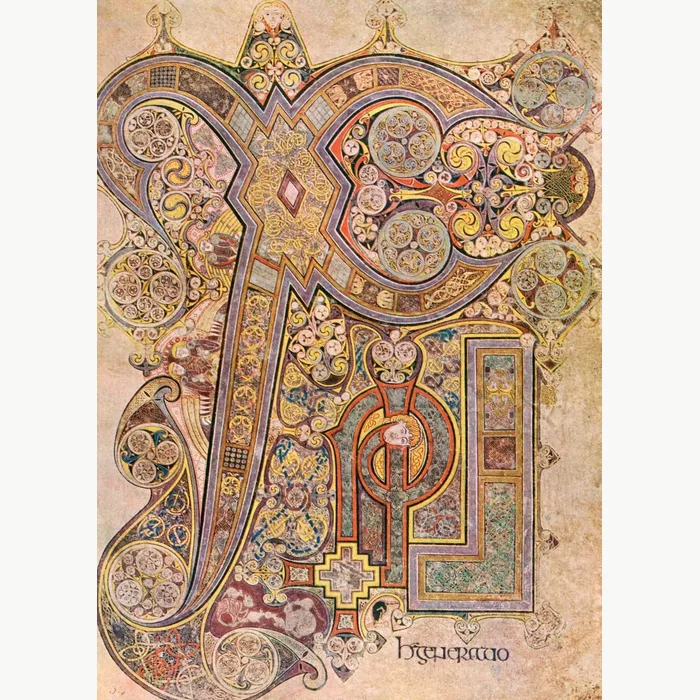
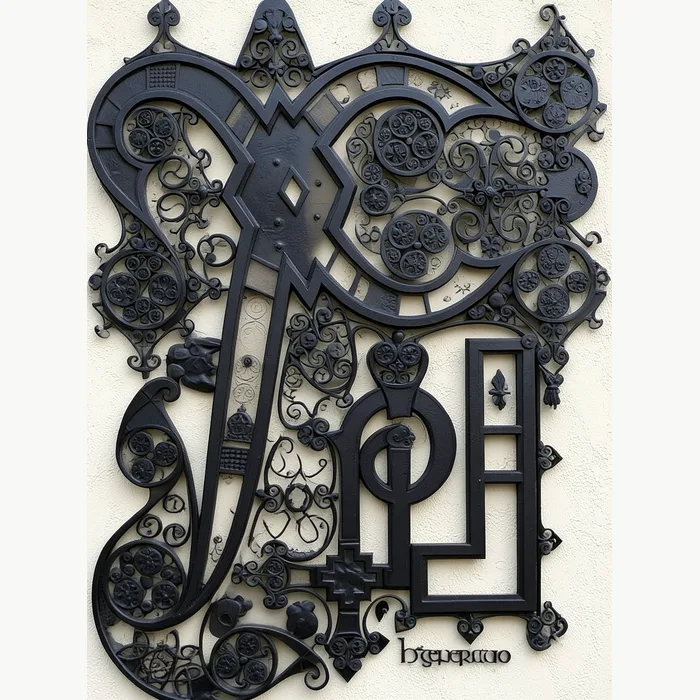
The Book of Kells, in New Orleans iron
The Chi Rho page, as Irish ironworkers in 1850s New Orleans might have made it.
It runs on the electric bill, and whatever's in the coffee pot.
Your site's preview has a small tool menu at the bottom. Your visitors never see it.
Write a note, rewrite it, ask a question. None of that costs anything. A note is spent only when you publish the change it asked for.